
NB-IoT rainwater sensor: monitor your tank
Monitor your water supply with an NB-IoT sensor: level measurement, three-step installation and readings in the app.
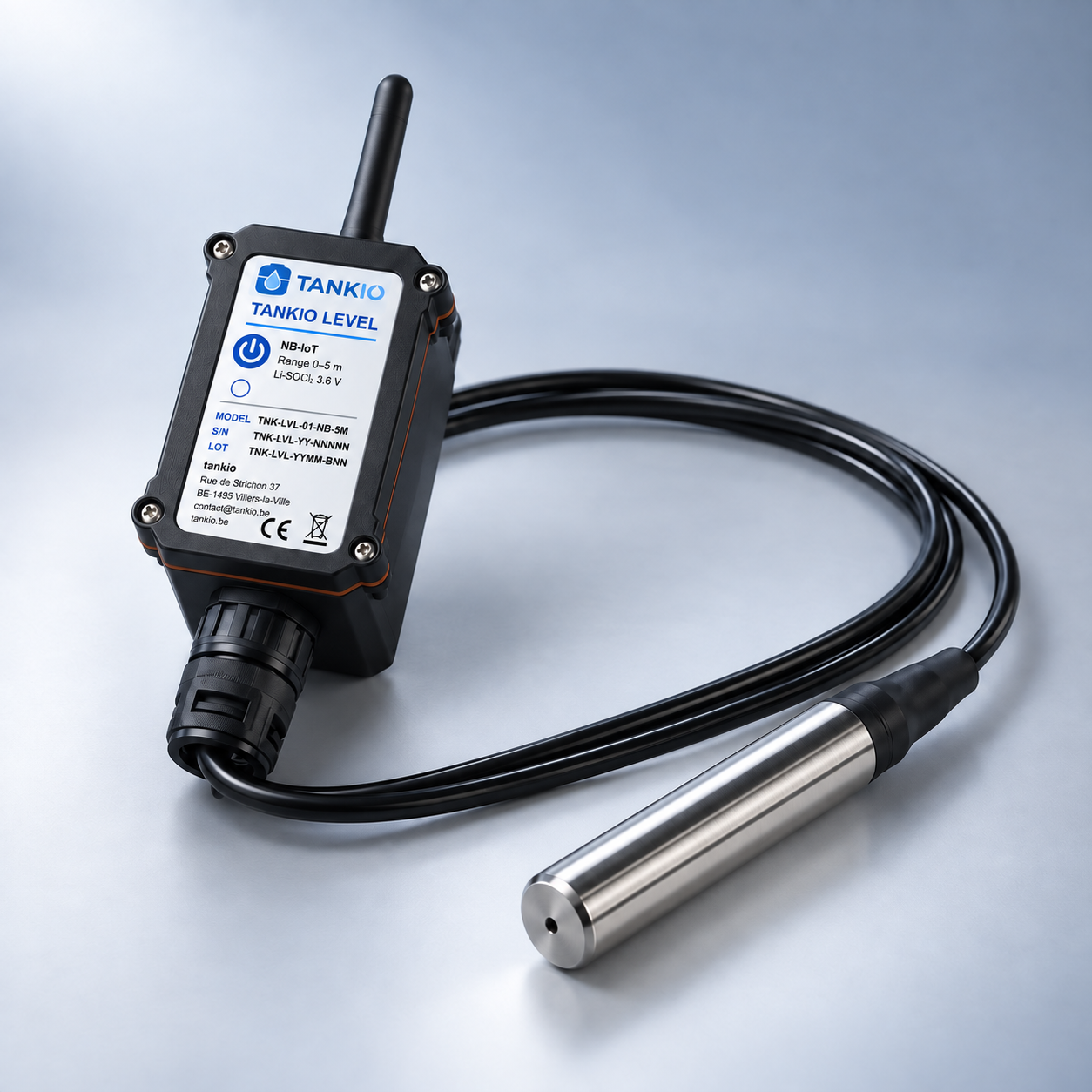
From water height to the displayed level
Hydrostatic measurement uses the pressure exerted by the water column on the submerged probe to track changes in level. The displayed volume also depends on the tank details entered in the app. An incorrect capacity or height changes how the readings are interpreted.
A direct mobile connection
Tankio uses NB-IoT to send readings over the mobile network. The device does not depend on the building’s internet router. There is no gateway to plug in, WiFi network to select or WiFi password to enter for the sensor. Your phone simply needs internet access to view new data in the app.
Install, switch on, configure
Install the device following its instructions and switch it on. In the Tankio app, configure the tank with its capacity and the requested dimensions. Check that a first reading appears and that the displayed level matches your water supply. Setup takes three steps, with no network equipment to install in the house.
- Install. Install the device on your tank following the instructions.
- Switch on. Switch on the device to start the NB-IoT connection.
- Configure. Configure the tank in the app, then check the first readings.
Read measurements and follow alerts
The app brings together the tank level and its history. Check the timestamp of the latest reading to see how recent the displayed information is. Set alerts to suit your use: a useful threshold for watering may differ from one for a daily water supply. An unusual drop is a reason to check consumption or a possible leak.